Playback control
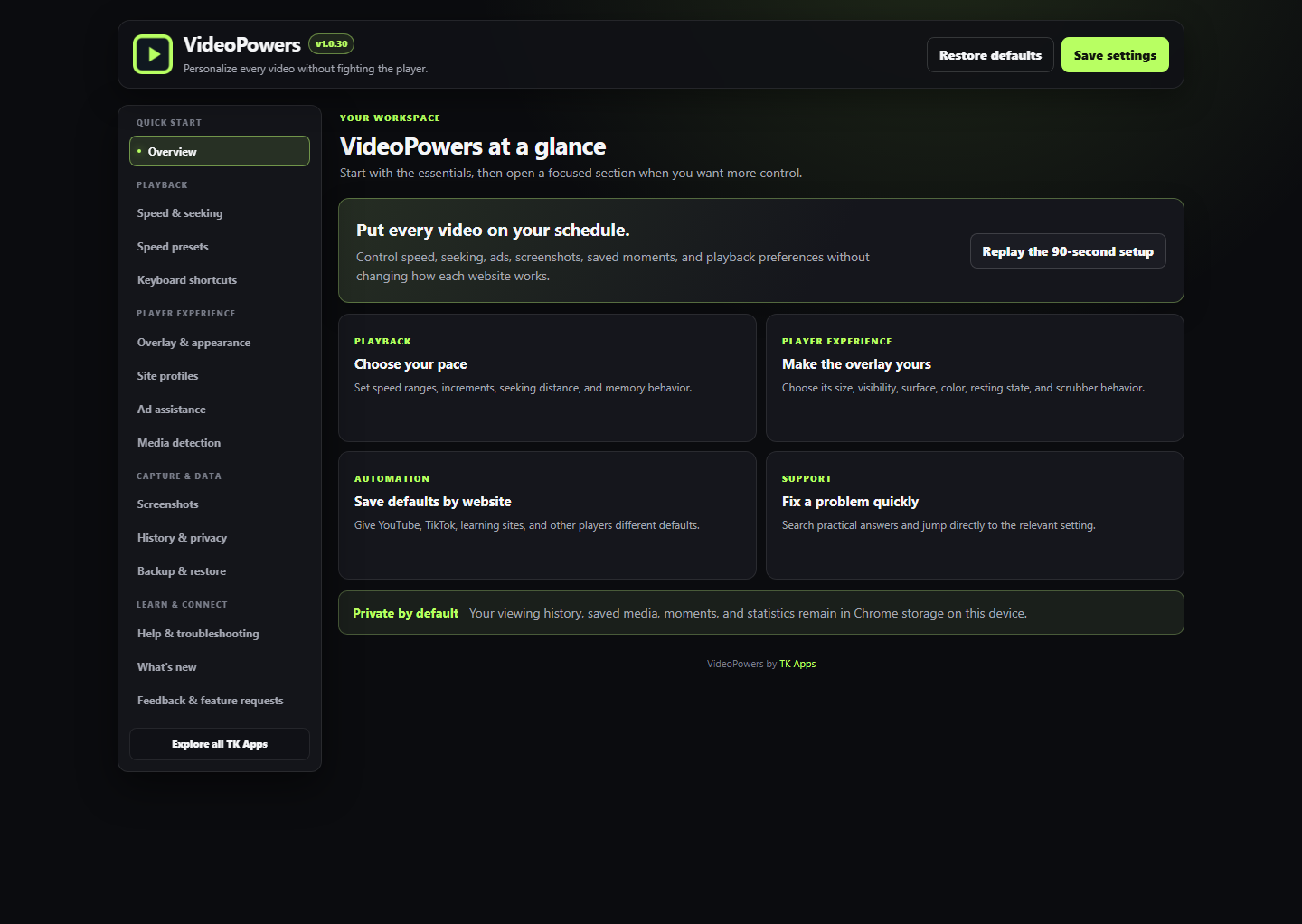
Set playback from 0.07x to 16x, choose custom speed steps and presets, and jump forward or backward with your own seek amounts.
A TKApps product
A privacy-first Chrome extension for controlling browser-supported HTML5 video and audio. For people who learn, review, research, compare, or work through video and audio across the browser.

VideoPowers
What it does
Core capabilities are sourced from the VideoPowers 1.0.30 public-beta release candidate. A commercial launch is planned for August 2026, but that date is not guaranteed. Store, checkout, and account/licensing links will appear only after those destinations are active.
Set playback from 0.07x to 16x, choose custom speed steps and presets, and jump forward or backward with your own seek amounts.
Loop exact A-B sections, nudge one second at a time, use chapters when available, and see speed-adjusted time remaining.
Work with captions, chapters, screenshots, saved videos, saved moments, playlists, and searchable local history.
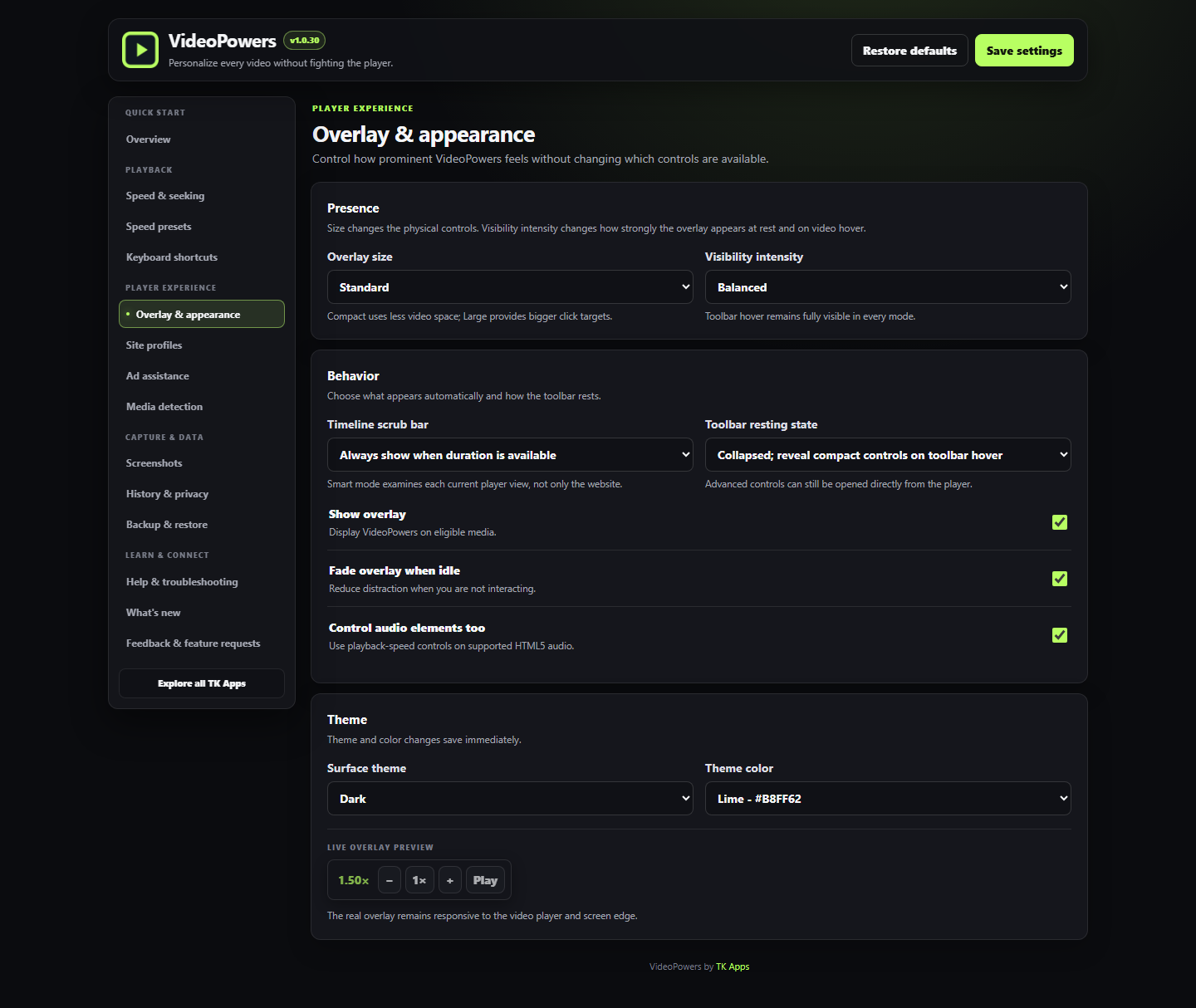
Use per-site defaults, customizable controls, toolbar sizing, appearance settings, import/export, and local time-saved statistics.
Product detail
VideoPowers adds a compact, draggable control surface to compatible HTML5 media so speed, seeking, timing, captions, picture-in-picture, fullscreen, loops, screenshots, and saves live in one predictable place.
Version 1 is designed as a local-first media companion. Viewing history, statistics, saved videos, playlists, saved moments, and notes stay in Chrome extension storage on the user's device.
VideoPowers works with browser-supported HTML5 video and audio. Some websites, protected players, browser rules, live streams, DRM, and cross-origin media can limit individual features.
See it in action

Choose a plan
Lifetime means one payment, not a recurring subscription. Paid checkout is opening in stages; final plan terms will be published before purchases open.
Public beta: VideoPowers is free throughout public beta. Paid accounts, checkout, license validation, Pro restrictions, and Teams restrictions are not active in this build. Final Free, Pro, and Pro Team prices and feature boundaries will be published before paid checkout opens.
Free
A useful starter experience for trying the product before paid access opens.
Pro
The individual paid tier for people who rely on the product.
Pro Team
The team paid tier for one verified company domain.
AI-powered features may use bring-your-own-key access or separate usage billing. Product-specific limits will be disclosed before purchase.
Get the app
Public installers and store links do not require a TKApps account by default. Paid features are unlocked through account sign-in or license activation.
The 1.0.30 public-beta release candidate is being prepared for public distribution. The final Chrome Web Store link still requires launch verification.
Requirements
Common questions
No. It adds a consistent control layer around compatible HTML5 video and audio already present on a webpage.
Version 1 has no account requirement, remote telemetry, remote analytics, advertising SDK, AI service, API-key storage, or remotely hosted executable code. Settings, local history, statistics, playlists, saved moments, and notes stay in Chrome extension storage.
No. VideoPowers can only use capabilities exposed by the current browser and player. DRM, live streams, CORS, browser policy, and custom players can limit individual controls.
No. Screenshot capture depends on browser canvas rules, the website, and media protection. When available, VideoPowers can save raw frames or annotated captures with title and URL context.
Not for the current local extension behavior. Accounts, checkout, license validation, Pro restrictions, and Teams restrictions are not active in this public-beta release candidate.
Brand system
TKApps products keep their own identities while still feeling connected inside the broader ecosystem.
Available product

In progress

In progress

In progress
Part of TKApps
Use one TKApps account for purchases, licenses, and settings as the ecosystem grows.
Explore TKApps